
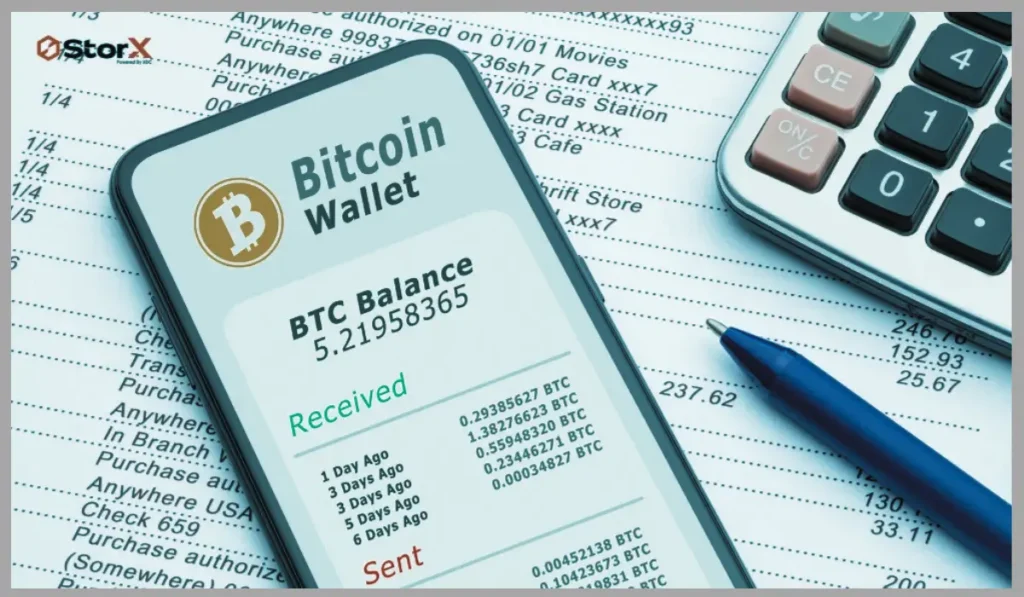
Cryptocurrency wallets are digital wallets that allow traders to send, receive, and store assets like Bitcoin, Ethereum, and other cryptocurrencies. Every crypto user should know how to check their wallet balance. Keeping track of your wallet balance will help monitor your funds, verify transactions, ensure that your assets are safe, and manage your investments.
Crypto wallets do not store money directly like traditional bank accounts. Instead, they store private keys that offer access to digital assets recorded on a blockchain network. Your wallet balance indicates the amount of cryptocurrency linked to your wallet address. This article discusses the different ways to check wallet balances.
What is a Wallet Balance?
A wallet balance, in simple terms, is the total amount of cryptocurrency available in a specific crypto wallet address. It represents the amount of cryptocurrency you own and can use for transactions. Wallet balances are updated automatically whenever you swap, send, or receive cryptocurrencies.
For example, if your Bitcoin wallet address contains 2 BTC, your wallet balance will be shown as 2 BTC. In the same way, an Ethereum wallet address may show ETH along with other tokens stored on the same blockchain network.
Why Should You Check Your Wallet Balance?
It is important to check your crypto wallet balance for various reasons.
Track your crypto holdings
By checking your wallet balance, you can have clarity about the amount of cryptocurrency you own. This is beneficial when you hold multiple assets across different wallets.
Verify transactions
This also helps verify if a transaction you made is successful or pending.
Monitor investment value
Since crypto prices change frequently, checking your wallet balance will help calculate the value of your holdings at that moment.
Detect unauthorized activity
Regularly checking your wallet balance will help you identify any suspicious activities or unexpected changes in your balance.
Methods to Check Wallet Balance
Depending on the type of wallet and blockchain network you use, there are different methods to check your wallet balance.
1. Check Balance Through a Wallet App
The easiest way to check wallet balances is through a wallet application. For this, access your crypto wallet application, enter your password, choose the cryptocurrency you want to check, and check the displayed balance. Examples of well-known crypto wallets include mobile and desktop wallets that support multiple blockchain networks.
2. Use a Blockchain Explorer
This is a public tool that allows users to check the blockchain transactions and wallet balances. Using this, anyone can check the balance of a wallet address without accessing private data. Here are the steps involved:
- Copy your wallet address
- Access a blockchain explorer that supports your cryptocurrency
- Enter your wallet address in the search bar
- Check your current balance and transaction history
Note that you should only share your public wallet address. Make sure not to share your private key or recovery phrase.
3. Check Balance Using a Hardware Wallet
These are physical devices developed to store cryptocurrency safely offline. In case you are using a hardware wallet, you can check your wallet balance through the device’s official application.
- First, connect your hardware wallet to your mobile or computer
- Open the wallet management application
- Unlock your device
- Choose the cryptocurrency account
- Check your wallet balance
Hardware wallets are extra secure because private keys remain offline.
4. Check Exchange Wallet Balances
Many people store digital assets on cryptocurrency exchanges. To check the balance:
- Log in to your exchange account
- Access the wallet or assets section
- Choose the cryptocurrency
- Check your available balance
Remember that the exchange manages the private keys.
How to Check Token Balances in a Wallet?
Several blockchain wallets support multiple tokens. To check token balance:
- Open your wallet application
- Choose the correct blockchain network
- Enable or add the token if it is not visible
- Check the token amount displayed
In case the token balance is not visible, check whether you have selected the correct network and included the token contract address.
Common Reasons for Incorrect Wallet Balances
Sometimes the wallet balance displayed may be incorrect. There are several reasons for this.
- Due to network delays, transaction confirmation may take time.
- Selecting the wrong blockchain network.
- In some wallets, some tokens are not displayed automatically. You might have to manually add the token.
- Some apps might temporarily display outdated data. Refreshing the application will fix this.
Final Thoughts
Every cryptocurrency user should have the skill to check wallet balances. Whether you use a hardware wallet, mobile wallet, exchange account, or blockchain explorer, checking your wallet balance will help manage your digital assets effectively.
Make sure to use secure methods to check your wallet balances and do not share sensitive information like recovery phrases or private keys. By regularly monitoring your wallet balances, you can have clarity about your crypto holdings and have better control over your digital investments.